
UNATRANSPORT
One timetable, entered once, runs the tills, the station screens and the website.
A system for Bihać bus station, built in stages. This first part covers ticket sales on portable Sunmi tills, monthly cards, the sales records, and the timetable behind the station screens and the website.
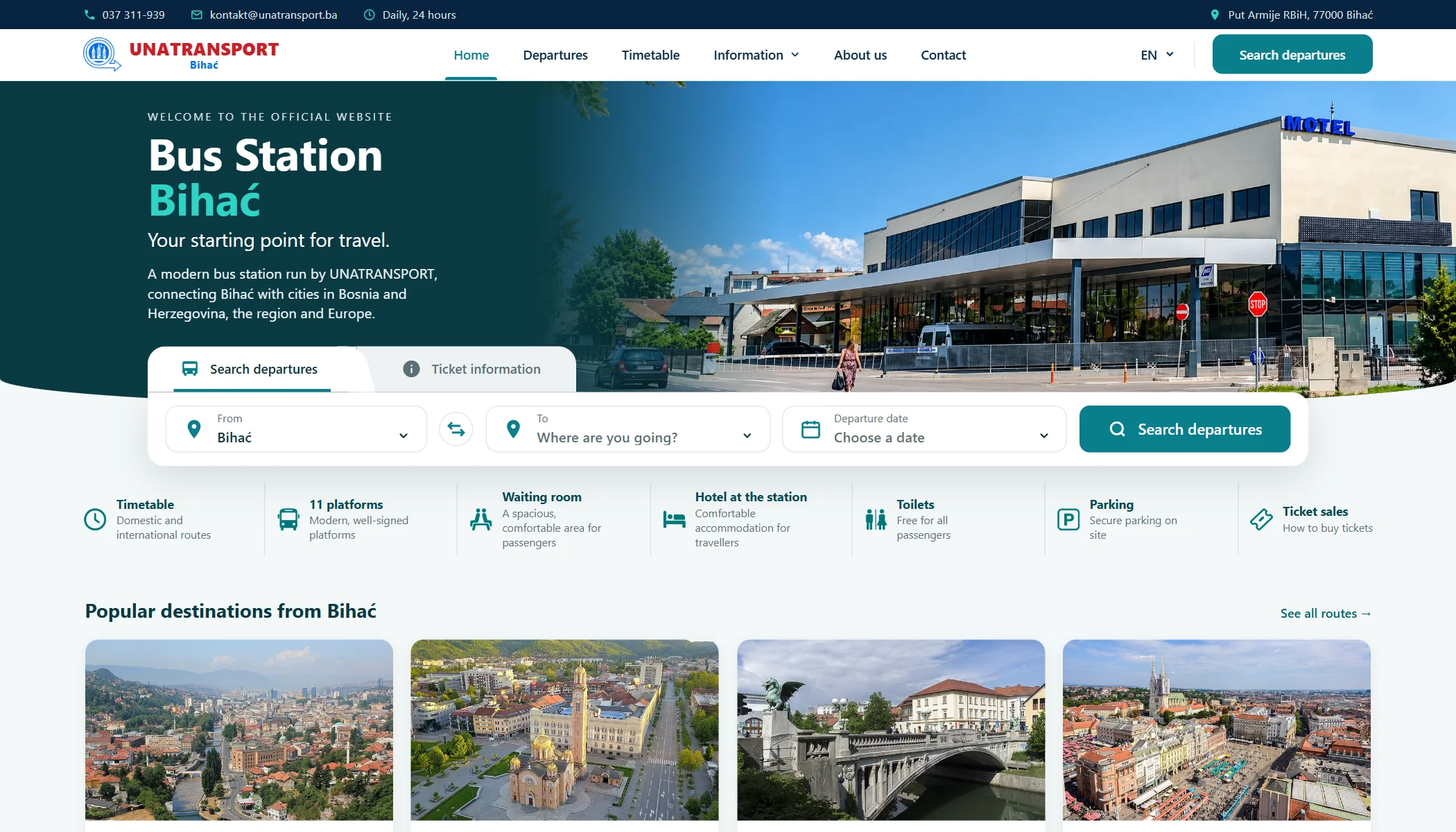
What we delivered
- Portable till app on Sunmi devices
- Admin panel for routes, prices and sales records
- Station TV screens and a new public website
Scope
Built for
- Ticket sellers at the counters
- Drivers, cashiers and shop staff
- Station management
- Passengers at the station and online
This is one part of a larger system.
What you see here is about a sixth of what we are building with UNATRANSPORT: the till and the sales records, with the screens and website that depend on them. The rest is still in development.
Portable tills
A ticket in a few taps, on a device that fits in one hand.
Sellers type the code of the destination stop. The till finds the route, works out the price and prints the ticket on the device's built-in printer.
- Discounts and luggage are added with one button, and one more reverses the direction
- The ticket carries the company header, the seller, a receipt number and a QR code
- Sales, printing and reports keep working with no internet, and sync when it returns
- Each terminal is recognised by its model and serial number
- The app locks the device, so it stays a till and nothing else
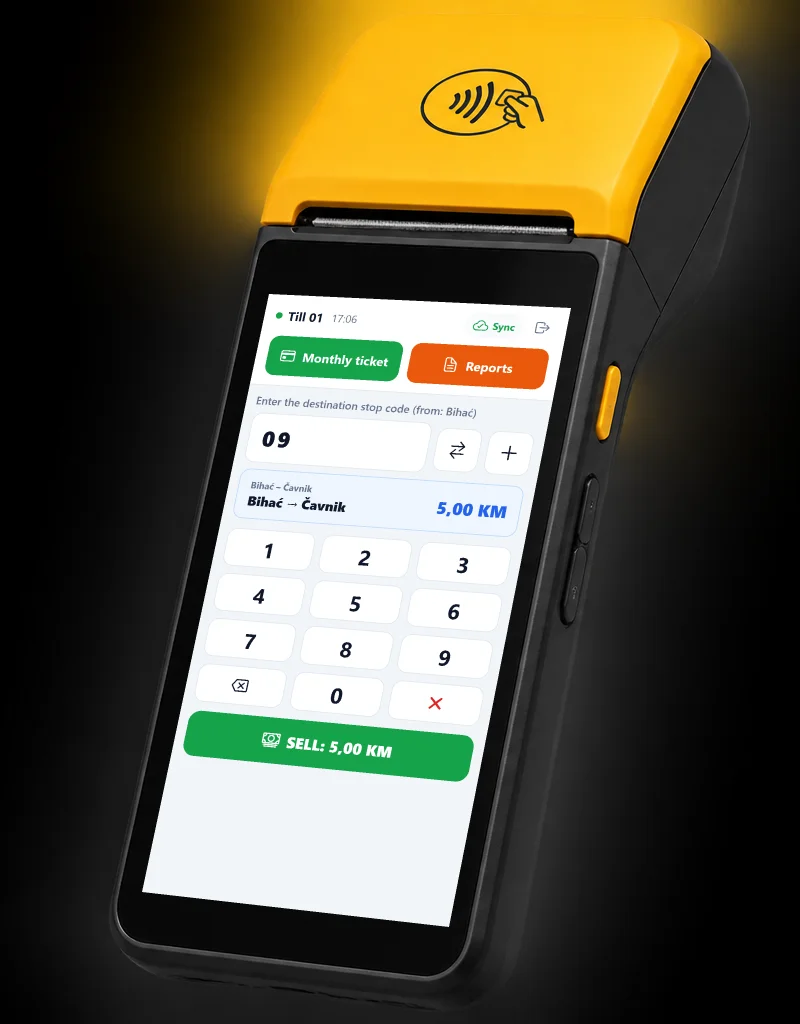
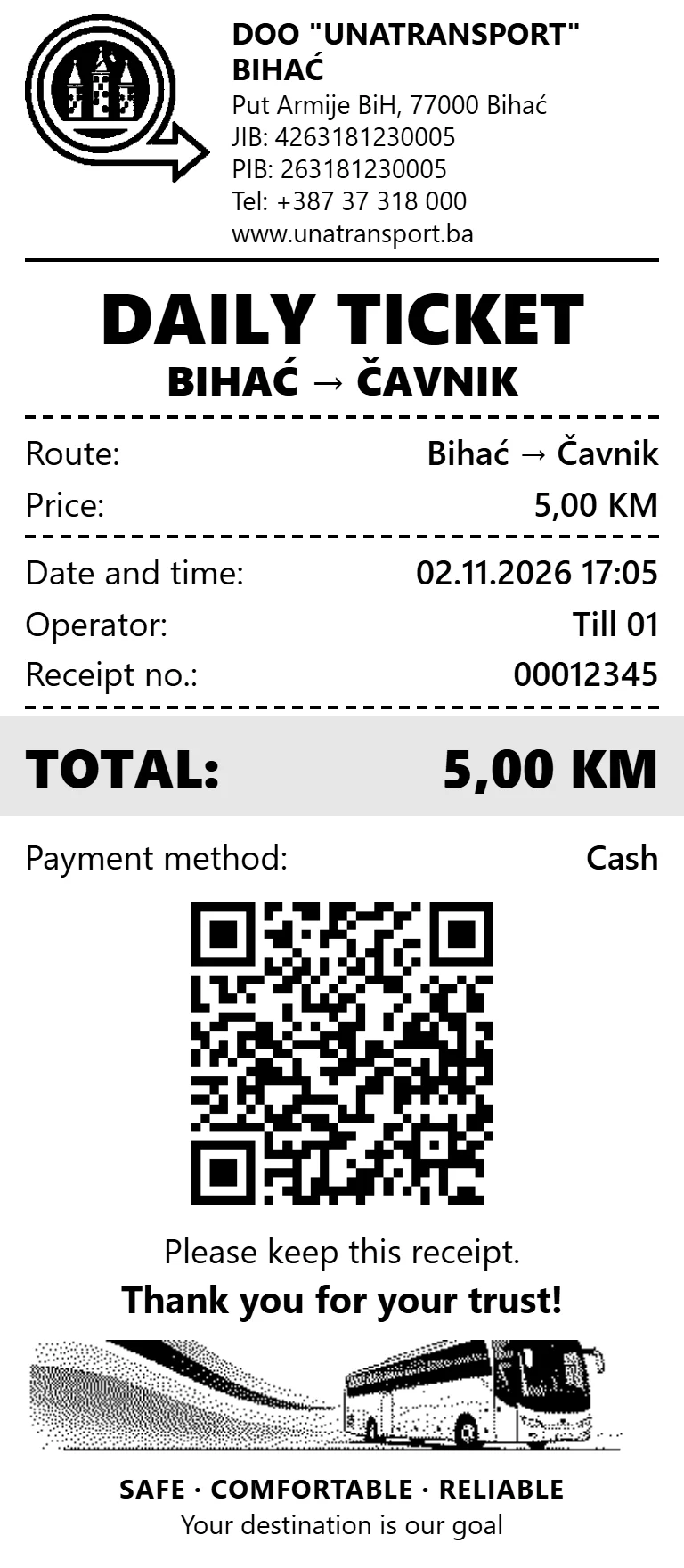
Device image is illustrative. The screen is the real till app and the ticket follows its print layout; values and labels are shown in English with sample data.
Monthly cards and daily closing
A regular passenger is checked in a second.
The same device checks monthly cards, renews them and closes the day, so a seller never has to leave the till.
- Cards are read over RFID or NFC, typed by hand, or scanned as a QR code from a phone
- Checks work offline from a local copy, and renewals wait in a queue until the device is back online
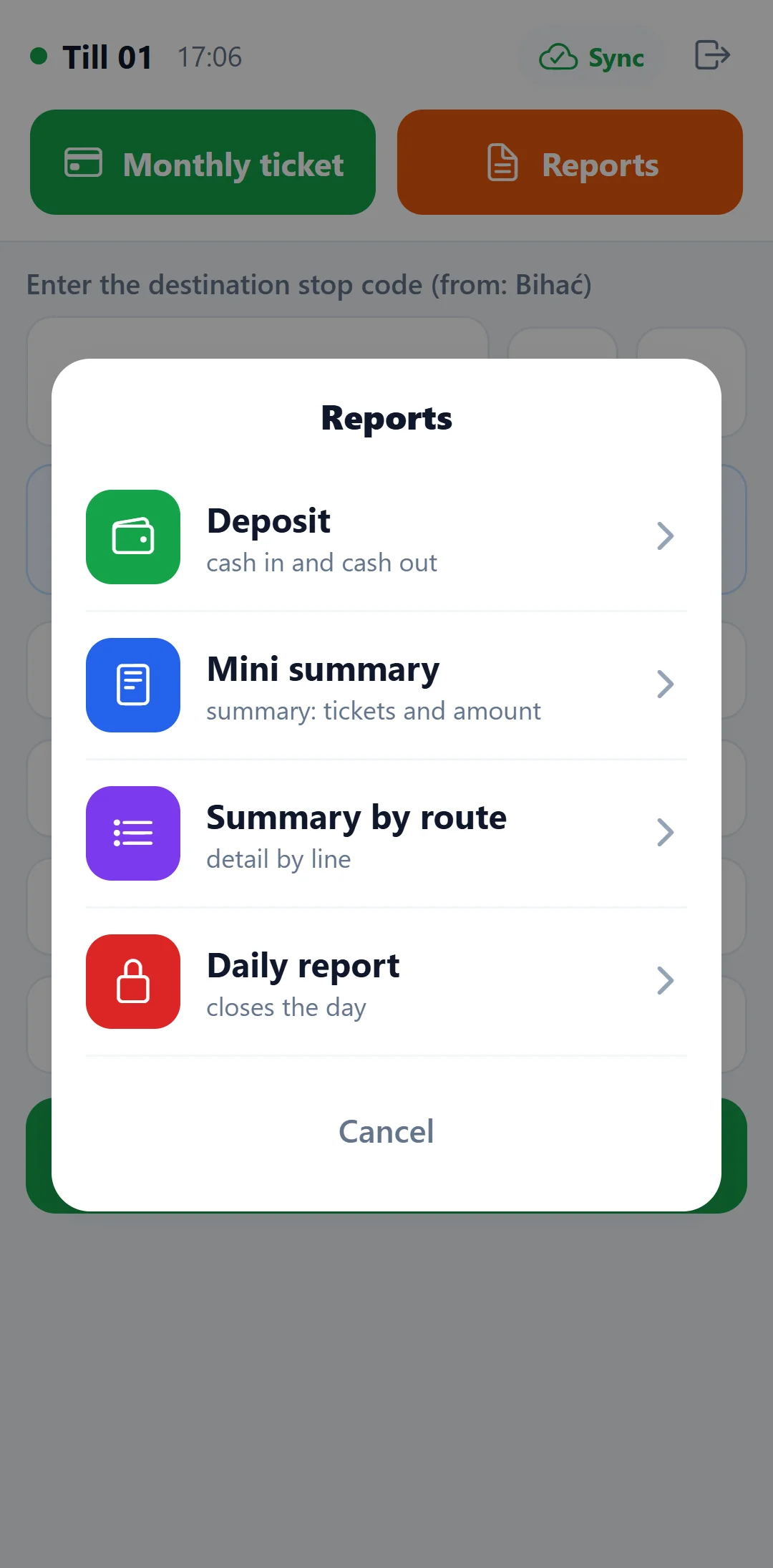
- Mini summary, a summary by route, and a daily report that closes the day, all printed on the spot
- Cash paid in and taken out is tracked on the till

One timetable
Admin enters a route once. Everything else follows.
Departures and arrivals are kept in one place, with their stops, carrier, days and bay. There is nothing to copy to a second system.
- Admin enters the route Time, stops, carrier and days
- Station screens Shown in the station
- Website Searchable by passengers
- A change for one day A delay or cancellation appears on the screens
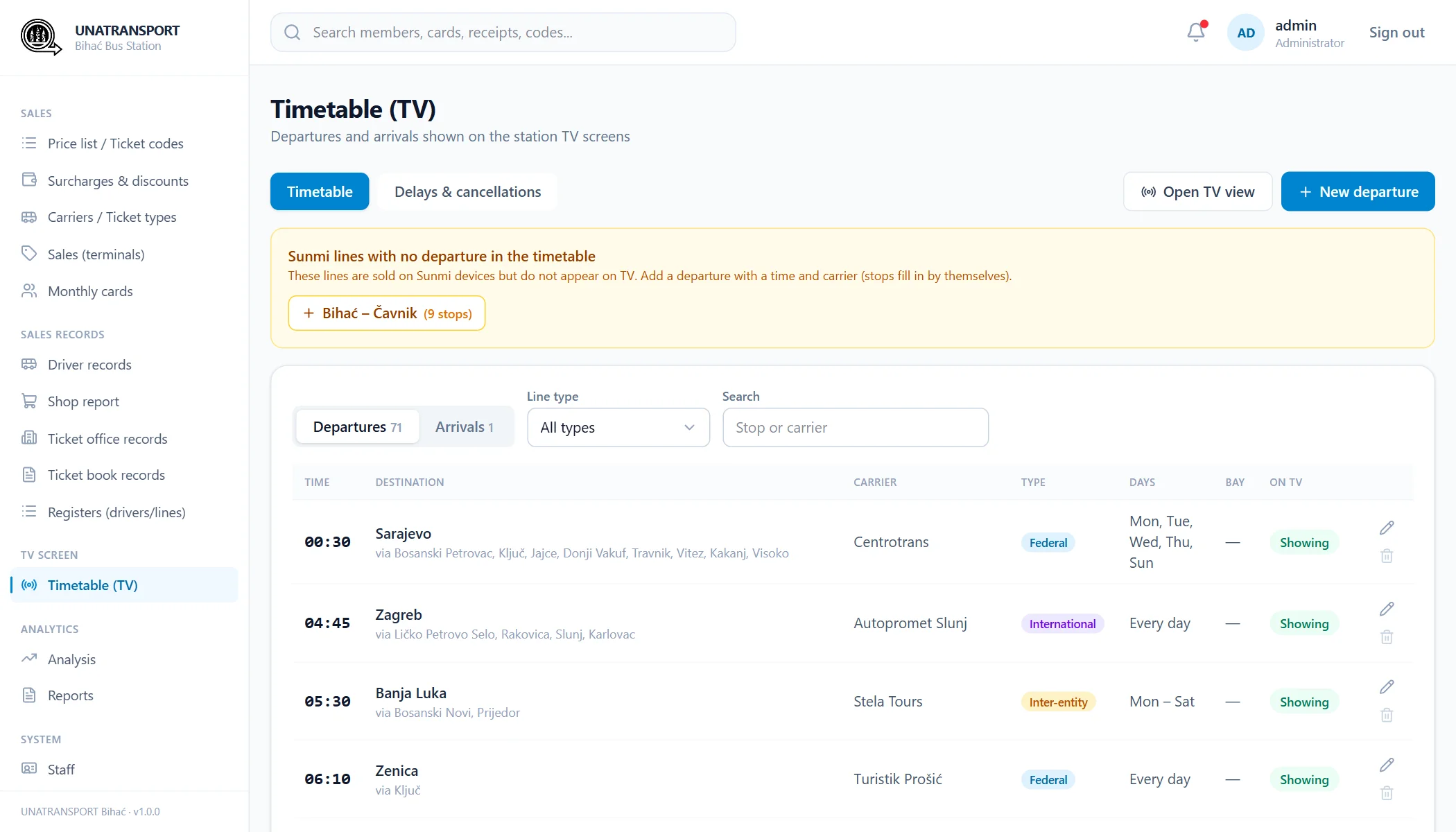
The panel also warns when a line sold on the tills has no departure in the timetable.
Station screens
Arrivals, departures and adverts on the station's screens.
A board that needs no one standing next to it. It refreshes by itself and shows passengers what is leaving next.
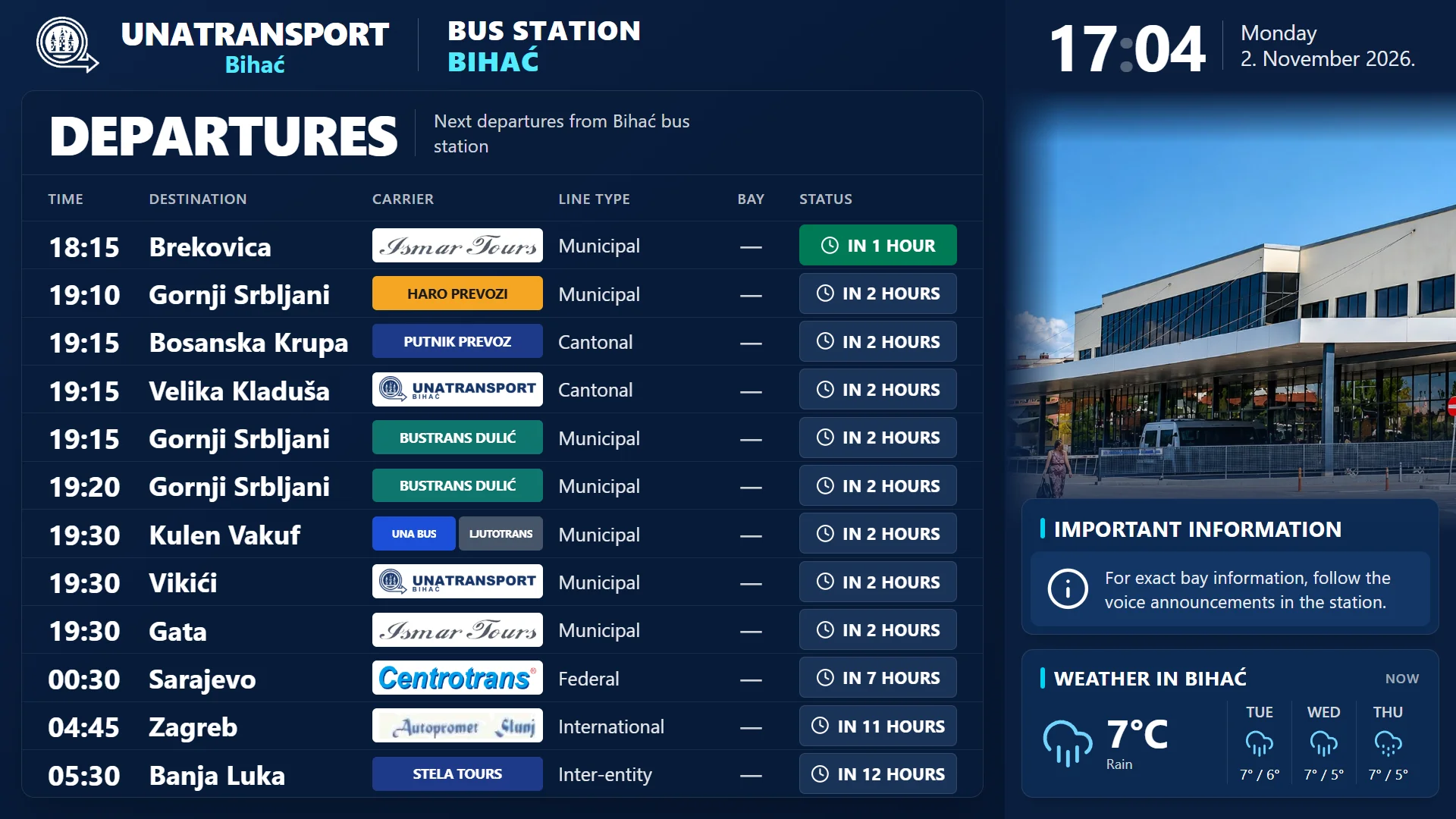
- Departures and arrivalsPages rotate on their own, with the time left to each departure.
- Delays and cancellationsEntered once in the panel and shown on the board for that day.
- Every carrierLogos where they exist, and the carrier's name where they do not.
- AdvertsAdvertising runs on the screens too, so they also earn their keep.
Sales records
Every till, driver and counter in one set of books.
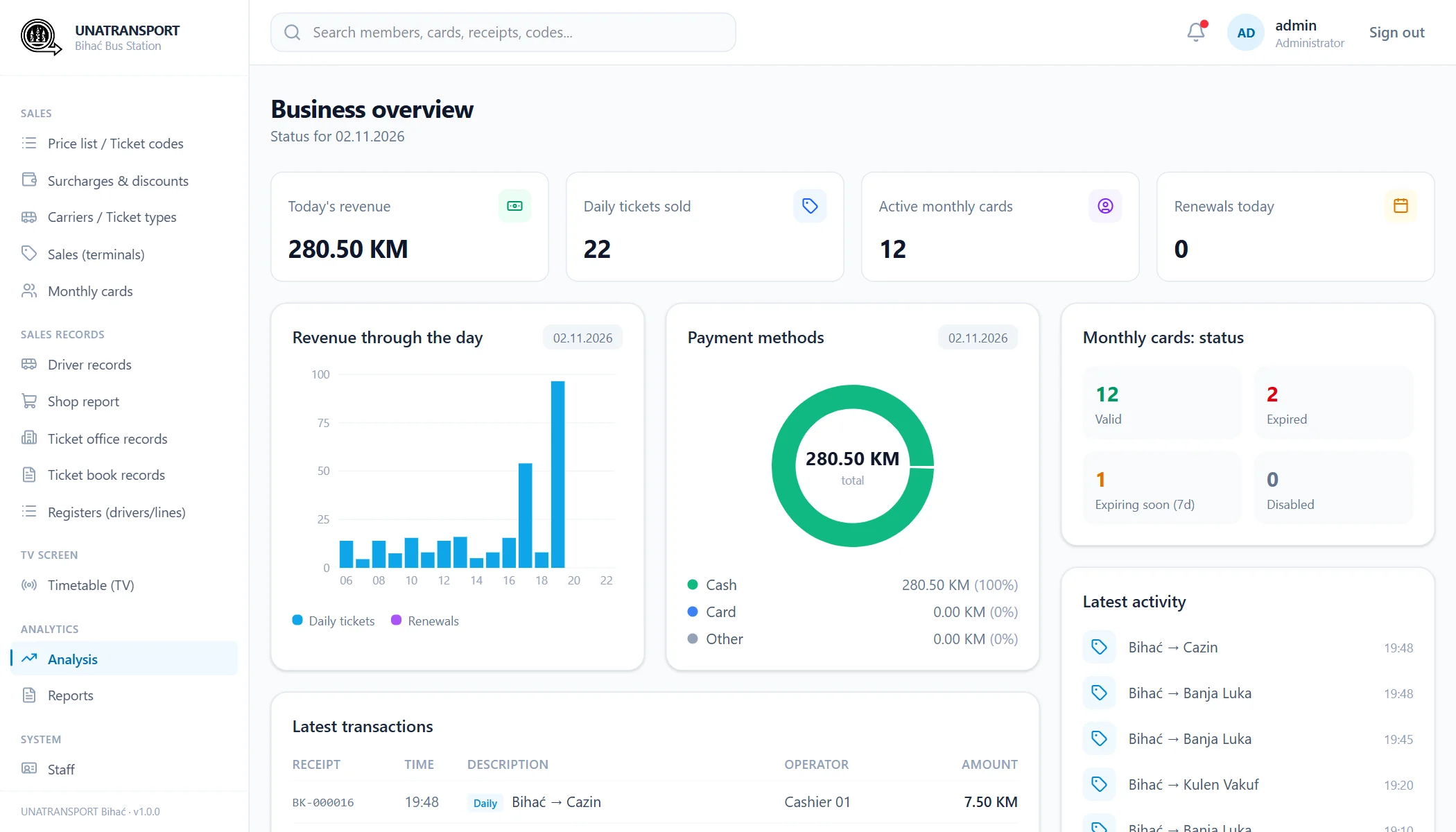
Sales from the terminals arrive by themselves. What is handed in by hand gets one clear form per role, and one report for management.
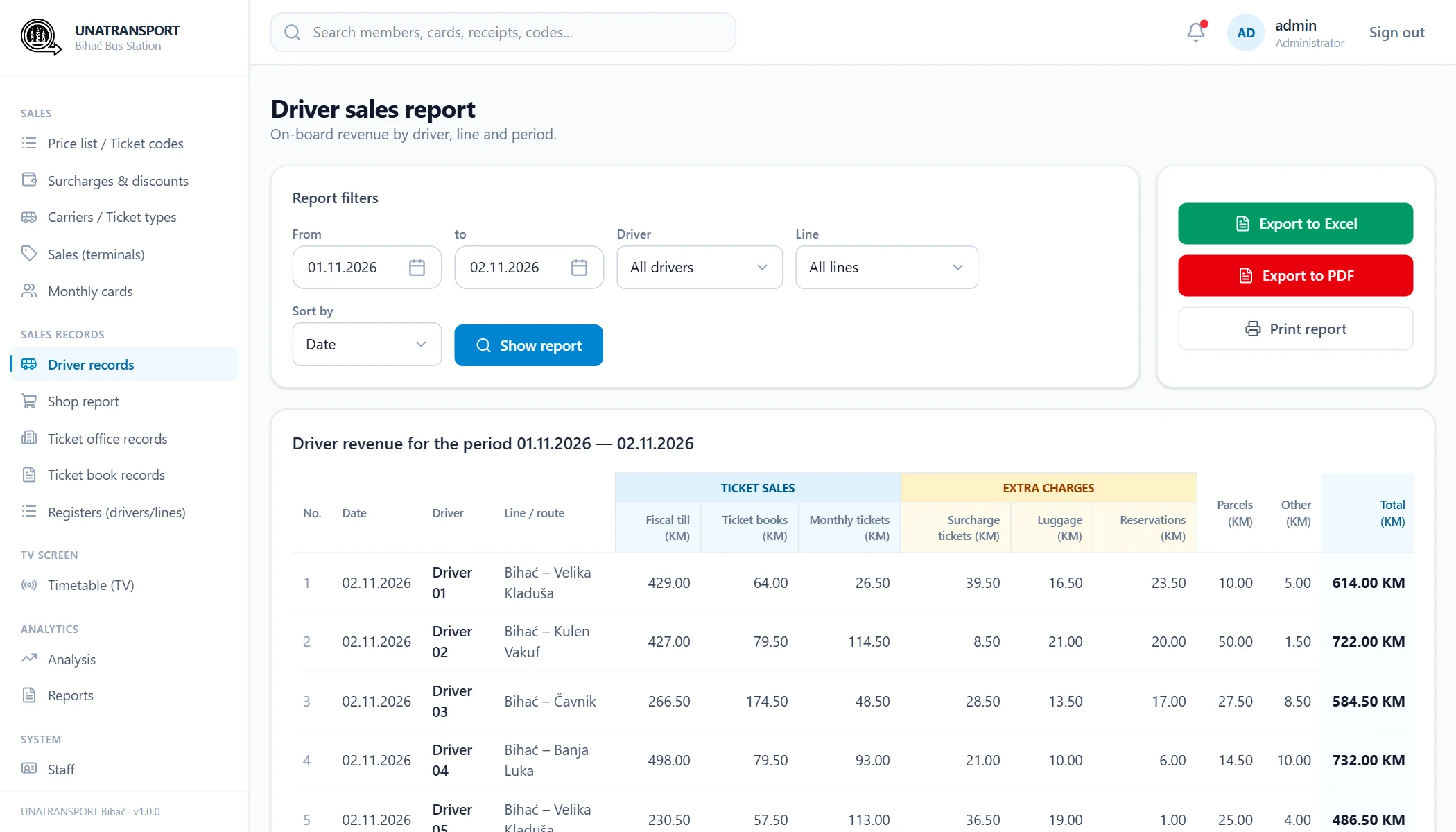
- DriversFiscal till, ticket books, monthly tickets, luggage and parcels.
- Ticket officeTakings by clerk, counter and shift, kept apart by whose revenue it is.
- Station shopSales by seller, shift and product group.
- Ticket booksWhich books were issued, to whom, and what came back.
- ReportsSeveral reports on one document, with Excel, PDF and print.
Website
The same timetable, on the passenger's phone.
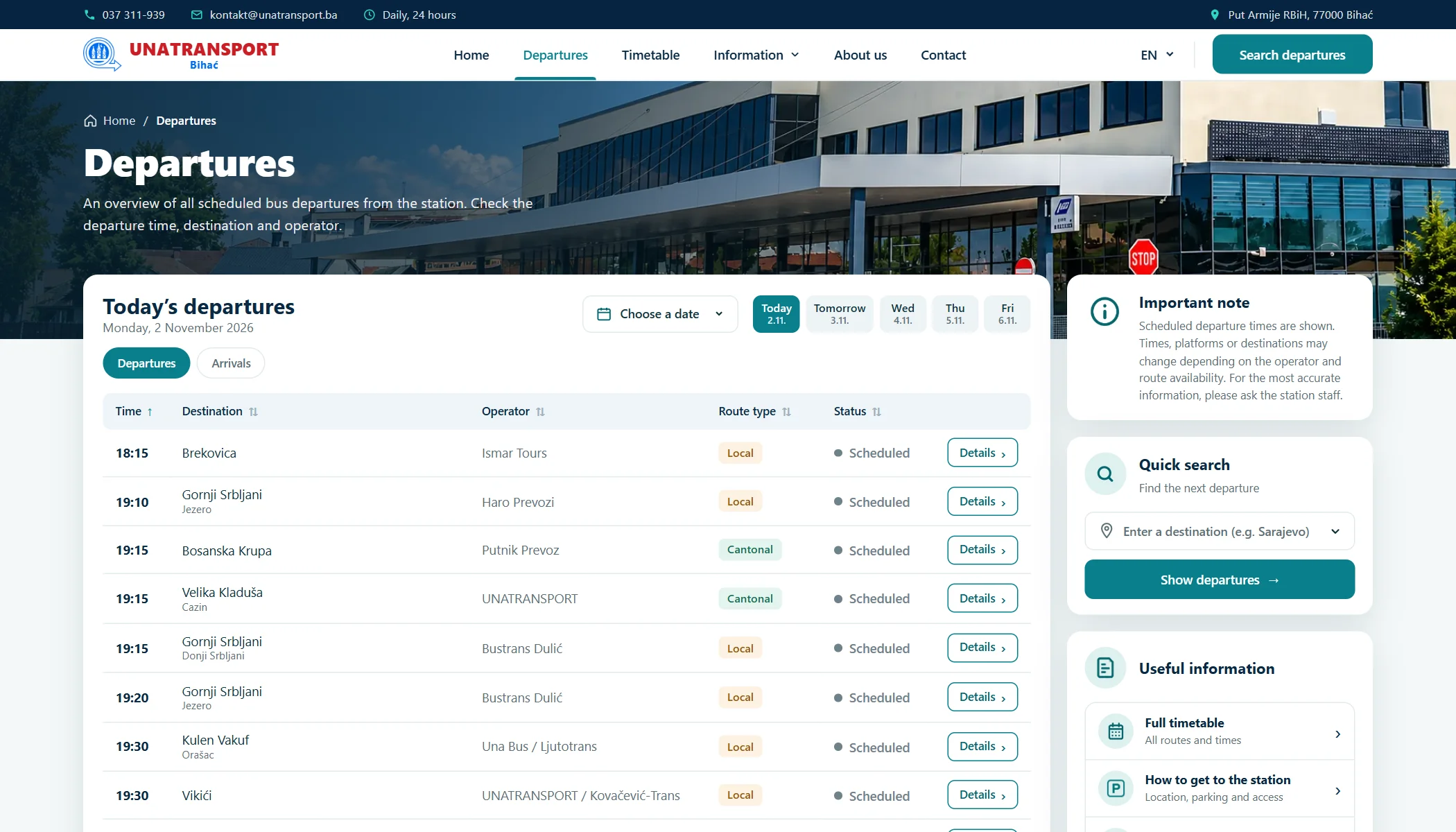
The new station website reads the same timetable as the screens, so it answers the questions that used to come to the counter.
- Departures for today and the days ahead, sorted by the clock
- Timetable search by any stop on a route
- Bosnian, English and German
- Installs on a phone like an app
01 Business context
Bihać bus station sells tickets at its counters and on its buses, runs a shop, and serves many carriers from one building.
That means several kinds of revenue, handed in by several kinds of staff, alongside a timetable that passengers need to see at the station and at home.
We started with the part the rest depends on: selling the ticket, recording the money and keeping one timetable.
02 The challenge
A station cannot stop selling because the internet went down.
- 01 Tills that keep working offline and never lose a sale
- 02 Printed tickets that are fast enough for a queue
- 03 Takings from drivers, counters and the shop, in one place
- 04 One timetable for the screens, the website and the tills' lines
03 The solution
A till app on the device, a shared server, and one panel for the office.
The till stores each sale on the device first and sends it as soon as it can, without creating duplicates.
The office panel holds routes, prices, staff, cards and records.
The station screens and the website read the timetable directly from it.
04 Key capabilities
What it makes possible.
- 01
Sales on a portable till
Code, price, printed ticket, with discounts and luggage built in.
- 02
Offline by default
Sales, printing, reports and card checks work with no connection.
- 03
Monthly cards
RFID, NFC, manual entry or a QR code from a phone, with renewals on the till.
- 04
Station screens
Departures, arrivals, delays and cancellations, kept up to date by themselves.
- 05
Records and reports
Drivers, ticket office, shop and ticket books, with Excel and PDF export.
- 06
A website in three languages
Fed by the same timetable, and installable on a phone.
05 Business value
What changes for the business.
- Sellers keep selling when the connection drops.
- A timetable change is made once, not on every screen.
- Management sees all takings in one place.
The first part of a station system, already doing a day's work.